A Morning of Wellness, Connection, and Gut Health Discovery

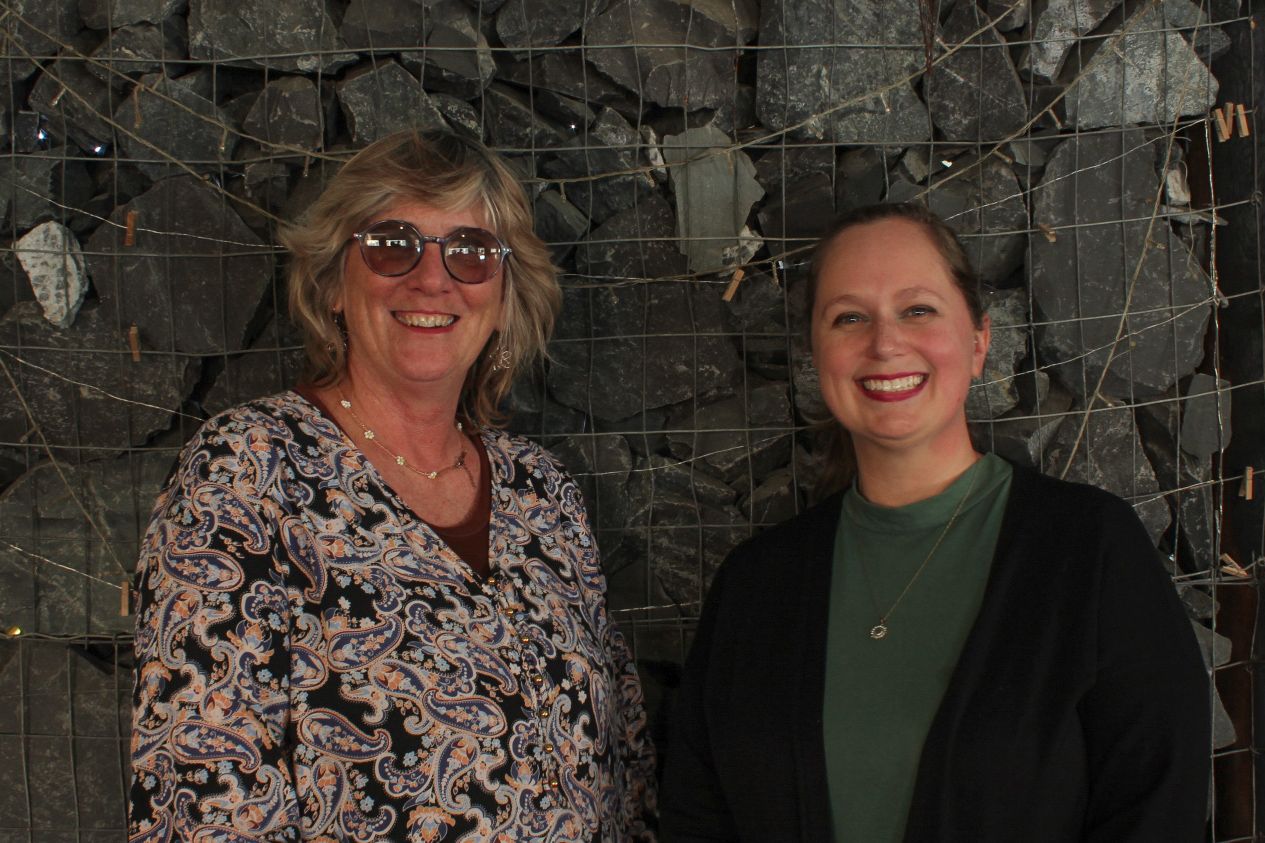
26 July marked a truly special milestone as The Wellness Sister hosted her inaugural wellness party, coordinated by our very own team at Cuppa Daisies.

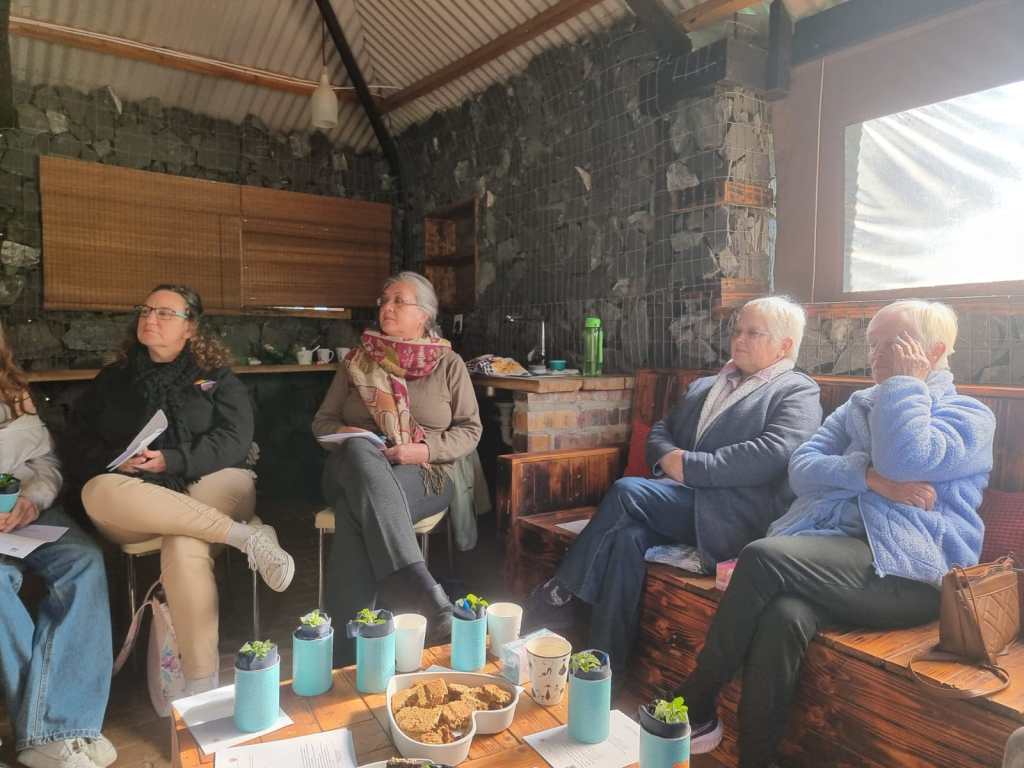
Set in the tranquil surroundings of a peaceful smallholding in Morningstar, Cape Farms, this gathering brought together a group of wonderful people for a morning of learning, connection, and holistic health discovery. The serene farm atmosphere provided the perfect backdrop for our wellness journey, creating a calming space where participants could focus on their health and wellbeing.

Expert Guidance from The Wellness Sister

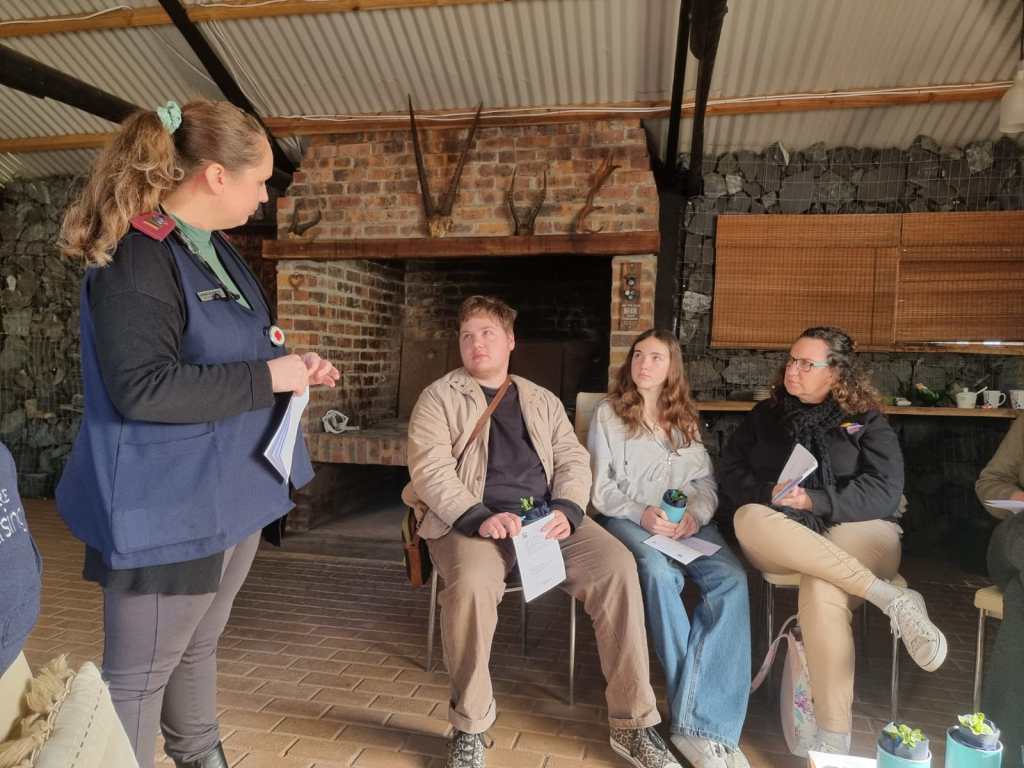
Our featured speaker, Laura du Plessis, a registered nurse, and the founder of The Wellness Sister, delivered an engaging and informative talk on The Gut Microbiome: The New Research. Laura’s passion for practical, accessible health was clear as she shared fascinating insights into how the trillions of microorganisms in our gut affect everything from mood and immunity to overall wellness.

Key highlights from her talk included:

  • Understanding what the gut microbiome is and why it matters;
  • How gut health influences digestion, hormone balance, and mental clarity;
  • The connection between gut health, immune response, sleep, and energy levels, and;
  • Practical ways to include gut-friendly foods in everyday meals.

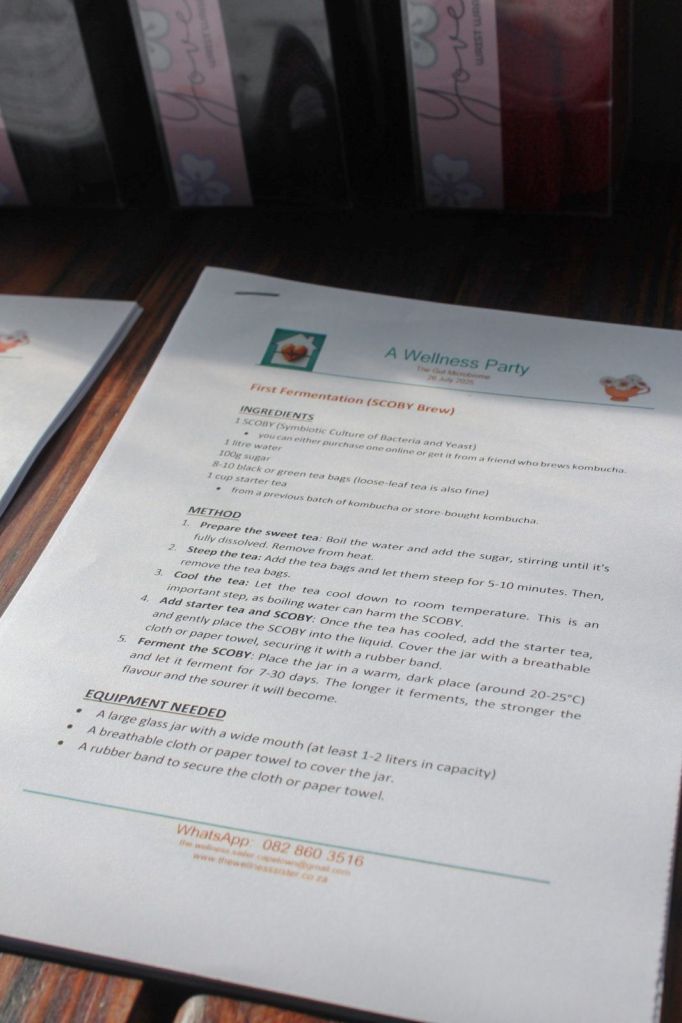
Cuppa Daisies compiled informative handouts featuring probiotic-rich foods like yoghurt, kefir, sauerkraut, and kombucha, along with prebiotic options such as garlic, onions, berries, and oats. We also included recipes for easy gut-friendly snacks.

Guests were invited to take on The Diversity Challenge, aiming to eat 30 or more different plant-based foods per week to support a healthy microbiome.

Holistic Health Assessments

A standout feature of the event was the availability of 15-minute wellness consultations. These included glucose readings, blood pressure checks, cholesterol assessments, weight management guidance, and waist measurements, all offered in a supportive and non-judgemental environment.

This hands-on approach gave participants valuable insights into their current health status, along with practical tips for improvement.

A Touch of Movement

Lea Smith from YAH Pilates introduced guests to the gentle power of Pilates with a calming and energising demonstration.

Pilates is a low-impact exercise system that strengthens the core, improves flexibility, and builds overall body awareness through controlled and precise movements. Regular practice can lead to better posture, reduced back pain, enhanced balance, and improved mental wellbeing. This session beautifully complemented the educational focus of the morning, showing how movement supports holistic health.

Heart-warming Feedback

The feedback from attendees reminded us exactly why we do what we do.

“Was lovely meeting all you wonderful ladies!”
“It was a very interesting and meaningful morning. Thank you to all. ❤️
“Hi ladies, thank you for bringing value to my life.”

And this heartfelt message truly captured the spirit of the day:

“Dear Michelle, a huge shout out to you for all the effort you put into a most enjoyable and educational event, presenting an intimate and exciting party. It has been a looong time since I enjoyed a get-together so much. You have excellent skills to organise an event like today. My little whistle went straight onto my keyring! Lol. May your business keep growing.”

Looking Forward

This first wellness party laid the foundation for what we hope will grow into a regular series of small, supportive, and educational gatherings.

The combination of expert knowledge, personalised health assessments, nourishing food, mindful movement, and meaningful connection created the kind of wellness community we envisioned from the start.

Our collaboration with The Wellness Sister was a natural fit, blending Laura’s expertise in health education with Cuppa Daisies’ passion for creating memorable and empowering events.

As Laura reminded us during her presentation, “Small, consistent changes lead to big improvements in gut health.”

To stay in the loop about future events, follow us on social media or get in touch. We would love to connect with you.


WordPress.com vs WordPress.org: The Complete Guide to Choosing Your Hosting Solution

When it comes to establishing an online presence, choosing the right platform for website hosting is a critical decision that can make or break your digital success. Whilst both WordPress.com and WordPress.org use the same powerful WordPress software, they deliver it in completely different ways that can dramatically impact your experience, costs, and long-term growth.

After almost 30 years of being online and building websites since 1997, we have learnt many hard lessons about hosting choices. Today, all our current projects and clients are hosted by WordPress.com. Earlier this year we moved our last holdout client to complete the transition.

This comprehensive guide will help you understand why WordPress.com has become our go-to solution and whether it’s the right choice for your needs.

Understanding the Fundamental Difference

Photo by Pixabay

The key difference between these platforms comes down to managed versus unmanaged hosting:

WordPress.com is like renting your digital home with full-service management.

WordPress.org is like owning your digital home and handling all the maintenance yourself.

Both use the same WordPress software, but WordPress.com is managed hosting, the most comprehensive solution where Automattic (the WordPress owner) handles host configuration, security, and infrastructure management. They take on all the site maintenance, including automatic updates, security patches, and downtime response, so we can focus on building your online presence.

WordPress.org provides free WordPress software that requires unmanaged hosting. You configure your own website on your server and manage the security and maintenance needs in-house, giving you full ownership and control over your hosting services.

WordPress.com: Managed Hosting for the Modern Web

WordPress.com is perfect for website owners who want their hosting managed by the pros. The advantages of professional management include:

  • Zero Technical Maintenance Required: Server maintenance expertise is not required with WordPress.com, as they optimise and enhance the server setup automatically. This means no more emergency calls about server crashes or security breaches.
  • Comprehensive Security Features: Security features include SSL* certificates, backups, malware prevention, and protection from brute-force attacks, all of which are managed by the WordPress specialists. Our clients get enterprise-level security without the enterprise-level headaches.

    *Secure Sockets Layer is a security protocol that encrypts data sent between a web server and a browser.

  • Automatic Updates and Maintenance: Site maintenance including automatic updates and security patches happen without our involvement. The WordPress core, themes, and plugins* stay current and secure without any effort from us.

    *Plugins are only available on the Business Plan and up.

  • Professional Speed and Reliability: Professional server setup and site optimisation strategies ensure consistent performance and uptime. The site performs well regardless of traffic spikes or technical challenges.
  • Expert Support and Infrastructure Management: Access to WordPress specialists with comprehensive downtime response means you’re never alone when issues arise. Professional host configuration and infrastructure management are included in all plans.
  • Scalable Plans: The scalable plans make it easy to upgrade as needs grow without migration headaches. Sites can be futureproofed! Whether starting with a personal blog or managing a complex business website, the infrastructure automatically adapts to the requirements.

WordPress.org: Unmanaged Hosting for Technical Teams

Photo by Negative Space

WordPress.org is ideal for web developers and technically savvy teams who want full ownership and control over their hosting services. The advantages of complete control include:

  • Full Server Configuration Control: This gives complete ownership and control over hosting services and server configuration. Sites can be customised at every aspect of your hosting environment to meet specific technical requirements.
  • Unlimited Customisation Options: The platform is extremely customisable, install any theme, plugin, or custom code without restrictions. This flexibility makes it ideal for complex projects with unique functionality requirements.
  • Direct Technical Management: Websites can be configured exactly as needed with full server access and direct control over optimisation strategies. This level of control appeals to developers who want to fine-tune every aspect of their hosting environment.

However, this control comes with significant responsibilities. Skills are required to configure the website on a server and manage any issues that arise, including security threats or server problems that could take the site offline. The web developer is directly responsible for adding core security features and updating them to prevent brute-force attacks, spam, or data breaches. The website’s speed and reliability depend entirely on how the hosting is configured and the server type.

Many web developers choose shared hosting space split amongst multiple sites to keep costs down, but this can impact speed, reliability, and security. You may also need to purchase add-on services for security and optimisation since the host doesn’t providing comprehensive management.

The Real Cost Comparison

WordPress.com Managed Hosting Investment

WordPress.com’ s managed plans are typically more expensive because they handle your website configuration and maintain your website on your behalf. Plans range from free basic options to enterprise solutions. The key advantage is predictable costs with everything included – no surprise bills for security tools, emergency fixes, or infrastructure upgrades.

WordPress.org Unmanaged Hosting Expenses

WordPress.org appears less expensive initially since the software is free and unmanaged hosting tends to cost less because infrastructure management isn’t included. However, the true costs add up quickly, since managing the site’s infrastructure isn’t included in basic hosting costs. Multiple add-on services for security, optimisation, and professional support will also most likely be needed.

Making the Right Choice for Your Situation

Photo by Yan Krukau

Choose WordPress.com Managed Hosting If You:

  • Want your hosting managed by the pros without technical overhead?
  • Prefer comprehensive solutions with infrastructure management included?
  • Value professional server setup and site optimisation strategies?
  • Want security features like SSL certificates, backups, and malware prevention handled automatically?
  • Don’t have server maintenance expertise in-house?
  • Prefer predictable costs over managing multiple add-on services?
  • Want to focus on content creation and business growth rather than technical maintenance?

This list above is why we ONLY use WordPress.com. Read more →

Choose WordPress.org Unmanaged Hosting If You:

  • Are a web developer or have technically savvy team members?
  • Want full ownership and control over your hosting services?
  • Have the skills to configure your website on a server and manage security threats?
  • Need extremely customizable hosting solutions for unique requirements?
  • Want to minimise base hosting costs and are comfortable purchasing add-ons as needed?
  • Enjoy managing your own server setup and optimisation strategies?
  • Have dedicated IT resources for ongoing technical management?

We have chosen not to take up the necessary skillset to handle these responsibilities and risks.

Spamming and Scamming

What are they and how can we manage them?

It’s super important to keep our digital lives safe and sound. Human beings are constantly bombarded with messages, and it’s easy to feel overwhelmed. But don’t worry; we’ve got some straightforward tips to help us navigate this tricky terrain together.

The Golden Rule: Just Ignore It!

Seriously, this is your superpower. The best way to deal with all those annoying spam messages and sneaky scam attempts is to simply ignore, ignore, ignore! Think of it like this: if you click on a dodgy link, reply to a weird email, or even just open a suspicious message, you’re basically waving a flag that says, “Hey, I’m here!” And trust us, you don’t want to encourage those folks. By consistently ignoring and deleting these messages, you’re telling scammers, “Nope, not interested!” and cutting down your chances of getting caught in their web.

How to Spot a Sneaky Spam or Scam

Alright, so how do you tell the good guys from the bad? Here are some classic red flags to look out for:

  • Urgency and Pressure Tactics: Ever get a message that screams, “Act now!” or “Your account will be suspended if you don’t click here in the next 5 minutes!”? That’s a huge warning sign. Scammers love to create panic, so you don’t have time to think straight. They might even threaten legal action or shutting down your accounts. Don’t fall for it! Legitimate companies give you reasonable time to respond.
  • Too Good to Be True Offers: Did you suddenly win a lottery you never entered? Get an unexpected inheritance from a long-lost relative? Or see an investment opportunity that promises insane returns with zero risk? If it sounds too good to be true, it almost always is.
  • Grammar Gaffes and Spelling Mistakes: Take a close look at the message. Is the grammar a bit off? Are there a bunch of typos? Professional organisations usually have their ducks in a row when it comes to communication. Bad spelling is a dead giveaway that something’s fishy. Scammers often deliberately employ bad spelling and grammar to filter out more astute individuals, ensuring they only engage with less discerning targets who are more likely to fall for their schemes.
  • Asking for Private Stuff: If someone’s asking for your passwords, PINs, banking details, or those one-time verification codes (OTPs) via text, email, or a call you didn’t expect, hit the brakes! Legitimate companies will rarely, if ever, ask for this sensitive info this way.
  • Unexpected Hellos: Did you get a message or call from someone you don’t know, with no prior interaction? Be wary. Scammers often just send out random messages hoping someone will bite. This includes getting a second or third social media friend request or LinkedIn connections from complete strangers that have absolutely nothing to do with your business or industry.

Email Red Flags

Our inboxes are a common hunting ground for scammers. Here’s what to watch out for:

  • Dodgy Sender Address: Look at the email address, not just the name. Does it look off? For example, is it “paypal@gmail.com” instead of “service@paypal.com”? Or maybe a tiny misspelling like “micr0s0ft.com” instead of “microsoft.com”? (Be aware that the ‘o’s in the first instance are actually zeroes, which can be hard to see with some fonts). These little details matter.
  • Generic Greetings: If an email starts with “Dear Valued Customer” instead of using your actual name, that’s a red flag. Real companies usually know your name.
  • Sketchy Links and Attachments: Hover your mouse over any links before you click on them (on a mobile device, you can usually long-press to see the full URL). Does the displayed link go where it says it will? And be super careful with attachments, especially if they’re weird file types like .zip or .exe, or from someone you don’t know. Also, if a link takes you to a login page, double-check that it starts with https:// and looks exactly like the real deal. Legitimate companies rarely send you attachments you weren’t expecting.
  • Surprise Invoices: Ever get an email with an invoice for something you didn’t buy, with a link to “cancel” the order? That’s a classic phishing trick!

Social Media & Messaging App No-Go’s

Photo by Tracy Le Blanc

Our favourite social apps can be hot spots for scams too.

Facebook and other Social Media Red Flags

  • Weird Friend Requests/Followers: Someone with hardly any friends, a generic profile picture, or an account that was just created? Probably not someone you want to connect with. Be particularly wary of romance scams, where fake profiles spend time building fake relationships before asking for money.”
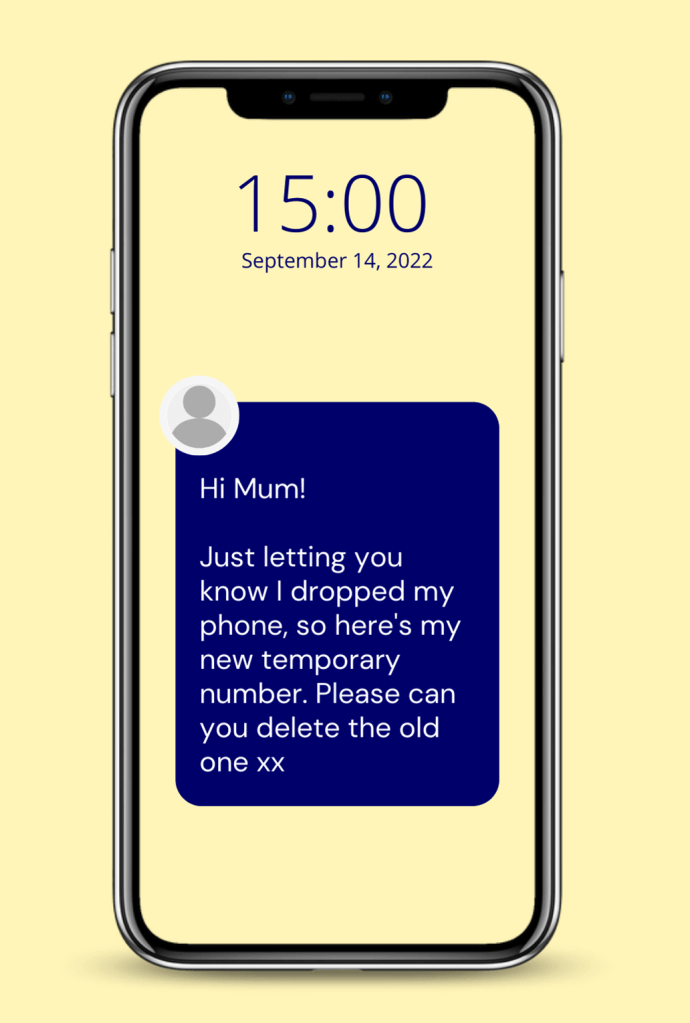
  • “Friends” Asking for Money: If a friend messages you out of the blue asking for emergency funds or gift cards, stop! Their account might have been hacked. Always, always call them or message them on another platform to confirm before doing anything. Scammers often target older relatives or ask for specific payment methods like gift cards, wire transfers, or cryptocurrency – legitimate emergencies rarely require these payment methods.
  • Clickbait Central: Posts with headlines that are just too outrageous or shocking to be true often lead to nasty websites.
  • Links to Outside Sites: Be cautious of posts that promise exclusive content or freebies but make you click a suspicious link that asks for your personal information.
  • “Tag a Friend” Scams: These often try to get you to tag a bunch of people to win something, but it’s usually just a way to spread spam or phishing links.

SMS (Text Message) and WhatsApp Warning Signs

  • Links in Unexpected Messages: Any text from a number you don’t recognise that includes a link is a big no-no. They’re often “smishing” attempts trying to get you to click.
  • OTP/PIN Requests: Your bank will never ask you to share a one-time passcode or PIN over text or call. Keep those secret!
  • Random Notifications: Messages about package delivery problems, bank alerts, or subscriptions you don’t remember signing up for are usually scams. In the case of a legitimate-seeming message (like a bank alert), contact the company directly using their official number, not by replying to the text.
  • Impersonation: Someone pretending to be from SARS, your bank, or a utility company via text, especially with a sense of urgency, is likely a scammer.

Phone Call Red Flags

Photo by Yan Krukau

Sometimes, scammers try to reach us the old-fashioned way.

  • Official” Calls You Didn’t Ask For: If someone calls claiming to be from your bank, the police, or tech support, and you didn’t initiate the call, be suspicious.
  • Asking for Remote Access: If “tech support” wants to take over your computer remotely, hang up! This is a common scam.
  • Demanding Immediate Payment: If they tell you to pay a fine or bill right now using gift cards, wire transfers, or cryptocurrency over the phone, it’s a scam. Legitimate organisations don’t demand payment this way.
  • Pressuring for Personal Info: Any caller asking for your full credit card number, the CVV (the three numbers on the back), passwords, or PINs is up to no good.
  • Caller ID Looks Legit, But Something’s Off: Scammers can “spoof” caller IDs to make it look like they’re calling from a real number. If the conversation feels weird, just hang up and call the organisation back using their official number (from their website or a statement).
  • Threats or Intimidation: If they start threatening you with arrest, account closure, or legal action, they’re trying to scare you into complying. Don’t let them!

Don’t take it personally

It’s so easy to let those pesky scam attempts and endless spam emails get under your skin, isn’t it? You might find yourself thinking, “Why me?” or even feel a bit silly for almost falling for something sneaky. But here’s the thing: these digital nuisances are absolutely not personal attacks. Think of scammers like someone throwing a gazillion darts in the dark, hoping just a few hit a bullseye.

They’re not aiming specifically for you; they’re just casting a super wide net, hoping to snag anyone who happens to be polite, or who doesn’t want to seem rude, or maybe someone who just naturally respects authority figures like banks (which, let’s be honest, is most of us!). Your email address or phone number is just one in a sea of many they’ve scooped up, often automatically.

So, when a scam lands in your inbox or a strange text pops up, remember it’s not a reflection on your smarts or your savvy. These sneaky tactics are designed to play on universal human traits – like our desire to be kind, or our instinct to trust official-looking messages. They’re banking on our natural inclination to be polite, or our respect for institutions.

It’s a numbers game for them, purely and simply. understanding that these aren’t personal jabs can really help take the sting out of it. Instead of feeling frustrated or foolish, you can just think, “Nope, not today, dearies!” and confidently hit that delete button. You’ve got this!

Stay savvy, everyone! Your best defence is knowing what to look for and trusting your gut. If something feels off, it probably is. And remember, when in doubt, just ignore and delete!

Understand the Lingo

The Savvy Woman’s Guide to Dodging Digital Dirtbags!

Let’s face it, the internet can be a fabulous place for cat videos and online shopping, but it’s also a hunting ground for digital dirtbags trying to swipe our info or our hard-earned money. So, grab a cup of coffee, and let’s decode the sneaky lingo of spam and scams.

The Lowdown on Lingo

Spam: Ever feel like you’re drowning in junk mail? That’s spam! It’s unsolicited, unwanted electronic messages, often trying to sell you something you don’t need (or do need, but from a sketchy source). Think of it like that annoying telemarketer who just won’t quit. The name comes from a hilarious old Monty Python sketch where “Spam” luncheon meat was everywhere, like a never-ending, inescapable annoyance.

Phishing: This is where scammers try to reel you in by pretending to be someone trustworthy. They’ll send you emails that look just like they’re from your bank, Netflix, or even your favourite online store, hoping you’ll click a dodgy link and hand over your passwords or credit card details. Always double-check that sender!

Photo by Markus Winkler

Smishing: It’s like phishing, but for your phone! Think SMS (text message) phishing. You might get a text saying there’s a problem with a package delivery, a fabulous prize waiting, or a suspicious charge on your account. The goal? To get you to tap a link that leads straight to trouble.

Photo by Ketut Subiyanto

Vishing: This scam goes old school with a phone call, but with a modern twist. It’s voice phishing. A scammer might call you pretending to be from your bank’s fraud department, the tax office, or even tech support, trying to sweet-talk you into giving up personal info. They might even spoof their caller ID to make it look legitimate.

Vishing
Photo by Mikhail Nilov

Malware: This is the umbrella term for any nasty software designed to mess with your devices. We’re talking viruses, worms, ransomware, basically anything that tries to steal your data, spy on you, or just cause general chaos. Keep that antivirus updated!

Photo by Sora Shimazaki

Ransomware: Imagine your computer files suddenly locked up, and a pop-up demands money (usually untraceable cryptocurrency) to get them back. That’s ransomware! It’s like a digital hostage situation, and you don’t want to pay the ransom.

Photo by Tima Miroshnichenko

Spoofing: This is when scammers pretend to be someone they’re not. They might make an email look like it came from your best friend, or a phone call seem like it’s from your local doctor’s office. It’s all about trickery to get you to lower your guard.

https://www.triodos.co.uk/articles/2022/friend-in-need-scam-how-to-be-fraud-aware

Spam Trap: This is like a secret decoy email address set up by the good guys. If a spammer sends an email to a spam trap, it’s a huge red flag that they’re using shady mailing lists, and their ability to send spam gets shut down. Go, good guys!

Photo by Maksim Goncharenok

Botnet: Sounds sci-fi, right? It’s basically a zombie army of hijacked computers all secretly controlled by a bad guy. They use these “bots” to send out massive amounts of spam or launch other cyberattacks. Creepy!

Pharming: This is a super sneaky way for scammers to redirect you from a real website to a fake one without you even knowing. It’s like typing in the correct address but ending up at a different (and dangerous!) destination. Always check that website address (URL) in your browser!

https://www.universalcpareview.com/ask-joey/what-is-a-pharming-attack/

Social Engineering: This is the art of psychological manipulation. Scammers are masters at playing on our emotions, whether it’s fear, curiosity, or even kindness, to trick us into doing what they want. They might pretend to be in distress or offer an amazing deal to get you to act impulsively.

Pretexting: This is a specific type of social engineering where a scammer invents a believable story or “pretext” to get you to cough up information. “I’m calling about your expiring warranty…” or “I need to confirm your account details…” are common pretexts.

https://sosafe-awareness.com/glossary/pretexting/

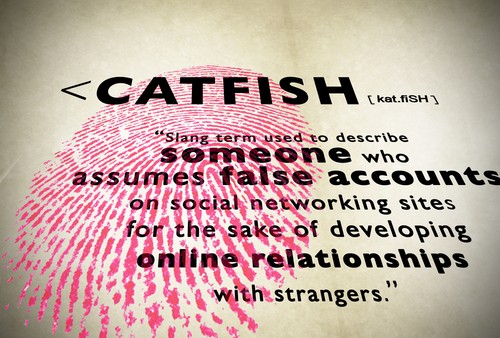
Catfishing: When someone creates a completely fake online identity to trick you into a relationship, usually for some personal gain or just to mess with your head. It’s often found on dating apps and social media. You’re too fabulous for that!

Scareware: This is like a digital jump scare! You might get a pop-up saying your computer is riddled with viruses and needs urgent fixing. The goal is to scare you into buying useless or harmful software. Just close that window!

https://us.norton.com/blog/malware/scareware

Nigerian Prince Scam (419 Scam): This is the granddaddy of all email scams! You get an email from a “dignitary” needing your help to move millions of dollars, promising you a cut. Just send them some “fees” upfront, they say. Spoiler alert: there’s no money, only lost fees. Delete, delete, delete!

https://www.expressvpn.com/blog/nigerian-prince-scam/

Pig Butchering (Shā Zhū Pán): This one is particularly cruel. It’s a long-game scam that mixes romance with fake investments. Scammers spend weeks or months building an emotional connection with you (the “fattening of the pig”). Once they have your trust, they’ll convince you to invest in a fake crypto or trading platform. You’ll see “returns” at first, encouraging you to put in more and more, until suddenly, they vanish with all your money (the “butchering”). Be extra cautious if a new online love interest suddenly wants to talk about investments.

https://www.rld.nm.gov/securities-division/pig-butchering-scams/

Stay sharp, stay savvy, and keep your digital world safe! 

Why We Choose WordPress.com for All Our Website Hosting Needs

When it comes to establishing an online presence, choosing the right platform for website hosting is a critical decision. For us, the answer has consistently been WordPress.com. While there are many excellent options available, a combination of powerful features, ease of use, and peace of mind makes WordPress.com our go-to solution for all our website hosting needs.

Here are the key reasons why we’ve made this choice:

1. Unmatched Simplicity and Ease of Use

One of the biggest advantages of WordPress.com is its user-friendly interface. We don’t need to be coding experts or server administrators to get a professional-looking website up and running quickly. From initial setup to daily content management, the intuitive dashboard and editing functionalities make the entire process incredibly straightforward. This allows us to focus on what matters most: creating great content and engaging with our audience.

2. Built-in Security and Maintenance

Security is paramount in the digital landscape. With WordPress.com, we benefit from enterprise-level security measures and continuous maintenance managed directly by Automattic (the company behind WordPress.com). We don’t have to worry about software updates, backups, malware scanning, or firewall configurations. This hands-off approach to security and maintenance frees up our time and resources, providing immense peace of mind.

3. Scalability and Reliability

As our online presence grows, so do our hosting needs. WordPress.com offers a range of plans that easily scale with our requirements, from personal blogs to complex business websites. We’ve experienced consistent uptime and reliable performance, even during traffic spikes. This stability is crucial for maintaining a positive user experience and ensuring our content is always accessible.

4. Comprehensive Features and Integrations

WordPress.com isn’t just about hosting; it’s a complete platform. It comes packed with a wealth of features, including a robust content management system, powerful SEO tools, integrated analytics, and a vast library of themes and plugins (depending on the plan). This comprehensive suite allows us to build diverse websites with rich functionalities without needing to piece together multiple third-party services. The seamless integration with other WordPress services and popular tools further enhances our workflow.

5. Dedicated Support and Community

While the platform is incredibly user-friendly, it’s reassuring to know that dedicated support is available if we ever encounter an issue. WordPress.com offers various levels of support, from extensive documentation to direct contact with their expert team. Beyond that, the massive global WordPress community means there’s a wealth of resources, tutorials, and forums available for learning and problem-solving.

6. Focus on Content, Not Infrastructure

Ultimately, choosing WordPress.com allows us to focus on our core mission. We’re not spending time troubleshooting server issues, applying security patches, or managing complex hosting environments. Instead, we can dedicate our energy to creating compelling content, engaging with our audience, and growing our online presence.

In conclusion, for us, WordPress.com represents the ideal blend of power, simplicity, security, and scalability. It empowers us to build and maintain professional websites efficiently and effectively, allowing us to thrive in the digital world without the technical headaches. 

After almost 30 years of being online and building websites, we swear by WordPress.com for our hosting requirements.

I have been been building websites since 1997 and have learnt a lot of hard lessons along the way. All my current projects and clients are hosted by WordPress.com. Some Free, some on Personal Plans and a couple on Business Plans.

I swear by WordPress.com managed hosting and earlier this year I moved my last client, so they are all on WordPress.com now.

~ Brian Currin, April 2025

Confused about WordPress.com and WordPress.org?

They both use the same powerful WordPress software, but they deliver it very differently. WordPress.com is a managed service that handles all the tech details for you – no need to install software or worry about hosting, security, or maintenance.

WordPress.org, on the other hand, gives you the free WordPress software to install on your own web host, putting you (or your web developer) in charge of all those responsibilities.